


Chatbot AI Assistant - Genie
4.52.41K Reviews
App Specs
- Version
- 10.6.2
- Updated On
- License
- Free
- Downloads
- 10,000,000+
- Developer
- APPNATION AS
- Categories
- Productivity
- Platform
- Android, iOS
Screenshots
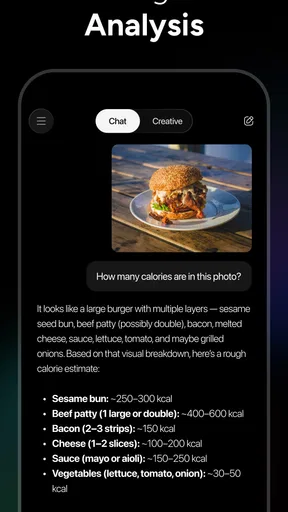
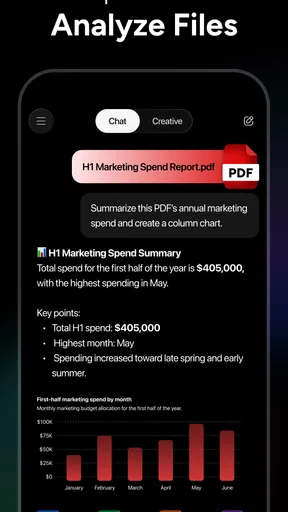
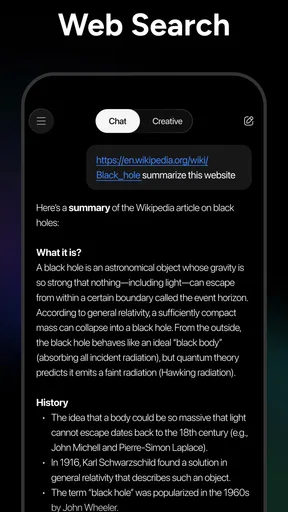
 Analysis by AppCompare
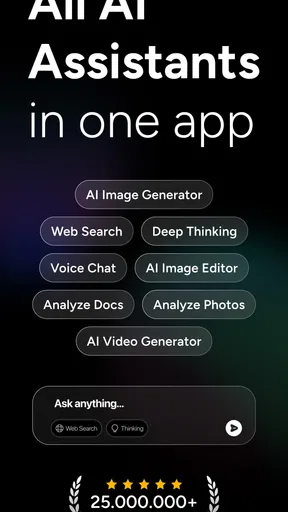
I reach for an AI assistant when I have a small task that is awkward to start: a blank email, a question I want to explore, or a rough idea that needs shaping. Chatbot AI Assistant - Genie is built around that kind of conversational help, with access to several AI models and an image generator. That breadth is appealing, but the practical question is whether it makes everyday work easier—and where I would still want to check the answer myself.
A conversation is the main tool
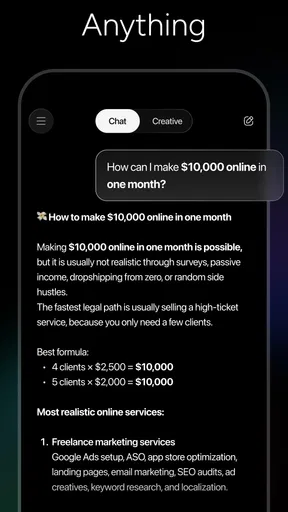
Genie’s central strength is that you can ask in ordinary language rather than learn a specialized interface first. APPNATION AS presents it as a productivity app, and its model selection spans names including GPT-5, Gemini, Grok, Deepseek, Qwen, and Claude. In principle, that gives a user more than one route into an AI conversation; the useful part is being able to frame a task in your own words and refine the request as you go.
That conversational approach suits work that benefits from a first draft, a concise explanation, or a few alternative ways to phrase something. I find it most valuable as a starting point, not as an authority. Ask it to outline a message, simplify a complicated paragraph, or suggest questions to ask in a meeting, then review the result against your actual purpose. The time-saving gain is often getting past the blank page, not skipping the thinking and checking.
How I would use it during a busy day
A realistic example: I have a meeting later, a few scattered notes, and an email to send before I leave. I can turn the notes into a request for a short agenda, ask for a more tactful version of the email, and follow up with a tighter tone or a shorter draft. Keeping related questions together can help preserve the thread, so I do not have to restate every detail with each follow-up. I would still check names, dates, commitments, and any wording that could be read as a promise before sending.
For a better result, I would include the audience, desired tone, and constraints in the first prompt rather than simply typing “write an email.” Then I would ask for one specific revision at a time—shorter, warmer, or clearer—so I can judge what changed. This is a small but useful habit with a chat-based tool: precise instructions make the exchange more productive, while a long string of vague corrections can lead to repetitive answers.
The same method works for learning and planning. I might ask for a plain-language explanation of a term, then request an example tied to a situation I understand. For a decision with several options, I would ask Genie to lay out trade-offs rather than tell me what to choose. That keeps the tool in a supporting role and makes it easier to spot where its answer is generic or where I need a more reliable source.
Where it sits beside familiar alternatives
Compared with a traditional notes or task app, a chatbot is better at transforming and explaining text than at acting as a dependable system of record. A notes app is usually the clearer choice for storing information in a structure you control; a dedicated calendar or task manager is the safer place to track deadlines and reminders you cannot afford to miss. Genie’s appeal is that it lets you ask for help in the moment, but I would not replace those purpose-built tools just because a conversational assistant can discuss planning.
Worth Reading Before You Choose

Baby Panda World Brings Quick Play to Modern Phones, but Its Game Library Feels Busy

ESPN’s Live Game View Makes Following Close Games Easier

QuizzLand Review: A Good Fit for Short Trivia Breaks, Not Every Player

Basketball Stars: Multiplayer Is Fast, but Can It Recover When Matches Go Wrong?

WEBTOON Turns Phone Updates Into a Better Reading Routine

Link to Windows Runs on Shared Habits, Not Social Feeds
It also differs from using one AI service directly: Genie brings several model names into one assistant experience, which may be useful if you want options without building your workflow around a single model. The trade-off is that the presence of multiple models does not make every answer correct, nor does it guarantee that each will suit every task equally well. When quality matters, I would compare how the answers address the same clearly worded request and choose the one that is easier to verify—not simply the one that sounds most confident.
Useful boundaries, not blind trust
AI-generated writing can sound polished while quietly missing a key detail. For anything factual, time-sensitive, legal, medical, financial, or tied to a real person, I would treat the response as a draft to check rather than a finished answer. I would also avoid putting sensitive personal or workplace information into a chat unless I had independently reviewed the app’s current privacy terms and was comfortable with them. That caution is not unique to Genie; it is a sensible boundary for conversational AI in general.
There is also a practical cost question. Genie is free to download, with in-app purchases listed from $4.99 to $129.99 per item, so I would try the free experience first and decide whether the way I actually use it justifies spending anything. If I only need occasional rewriting or explanations, paying may not be worthwhile. If I expect to rely on AI frequently, I would first make sure the available options fit my routine and budget rather than assume that a subscription or purchase is necessary.
Who is likely to get the most from it
I think Genie makes the most sense for people who regularly need help turning loose thoughts into usable text: students organizing questions for study, freelancers polishing client messages, or busy workers preparing outlines and first drafts. It can also suit curious users who like testing different AI models and want one place to start. Its Everyone age rating and free entry point make it approachable, though younger users should still be guided toward checking answers and sharing information carefully.
It is less compelling for someone who wants a fully structured project manager, guaranteed factual research, or a tool that quietly handles essential reminders without supervision. In those cases, a dedicated organizer, a trusted reference source, or a human expert is a better fit. I would also skip it if I dislike conversational interfaces: describing a task in prompts can feel slower than tapping a saved template or entering information in a familiar form.
First Impressions Matter
So, the first thing that caught my eye was the sleek design of the Chatbot AI Assistant - Genie. It’s got this minimalist vibe that’s super easy on the eyes. Navigating through the app was a breeze, thanks to its intuitive interface. You know that feeling when you don't have to second-guess where to tap next? Yeah, it was like that.
The setup was surprisingly straightforward. I was up and running in minutes, which is a relief because, let’s be honest, nobody likes a complicated setup. Once I got past the initial screen, I was greeted by Genie, ready to assist with whatever I threw at it.
Getting to Know Genie
Now, onto the main event: interacting with Genie. This app is designed to be your virtual assistant, and let me tell you, it does not disappoint. Whether I needed help drafting an email or finding a good restaurant nearby, Genie was on it. The responses were quick and felt surprisingly human-like, which is a huge plus in the AI world.
One of the things I loved was how Genie handled follow-up questions. It remembers the context of the conversation, so I didn’t have to keep repeating myself. This made the interaction feel more natural and less like I was talking to a script.
Features That Stand Out
Genie isn’t just about answering questions. It’s packed with features that aim to make life easier. Here are a few standouts:
- Task Management: I could create to-do lists and set reminders. It’s like having a personal secretary without the hefty price tag.
- Language Translation: Need to translate a quick phrase? Genie’s got you covered. The translations were impressively accurate.
- Weather Updates: I never had to wonder about the weather again. Genie provided detailed forecasts with a simple query.
Each feature felt thoughtfully integrated, making the app not just an assistant but an essential tool for daily life.
Room for Improvement
While Genie is quite the marvel, there’s always room for a little polish. I noticed that some of the responses could be a tad repetitive, especially when dealing with more complex queries. Also, while the app supports multiple languages, the depth of its conversational ability in languages other than English could use a bit more finesse. But hey, technology is always evolving, right?
Final Thoughts
Overall, my time with the Chatbot AI Assistant - Genie was enjoyable and surprisingly productive. It’s one of those apps that you didn’t know you needed until you’ve tried it. Whether you’re a busy professional or just someone looking for a helping hand in organizing your day, Genie is worth a shot.
In a world where time is precious, having an AI like Genie to help manage tasks and provide quick answers is a game-changer. So, if you’re curious and ready to have your own virtual assistant, go ahead and give it a whirl. You might just find your new favorite app.
A few practical checks before relying on it
Because this is a conversational tool rather than a conventional productivity dashboard, I would build a simple routine around it. Start with one task that has a clear finish line, such as turning notes into an outline or making a message easier to understand. If the answer is useful, refine it; if it misses the point after a couple of focused follow-ups, rewrite the prompt or switch approaches instead of spending more time coaxing it toward a result.
For a multi-step task, I would keep a copy of the source material outside the conversation and ask for one deliverable at a time. For example, first request a summary, then ask for action items, and finally check that each action item actually appears in the original notes. This makes errors easier to catch than asking for a complete plan, polished email, and risk assessment all in one go. It also gives me a clear point at which to stop and take over.
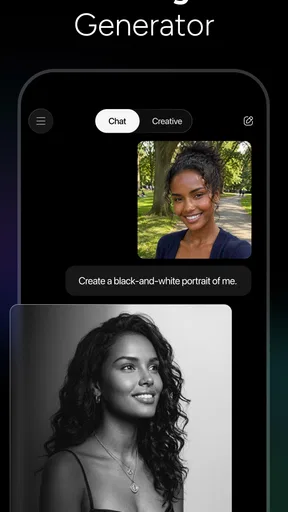
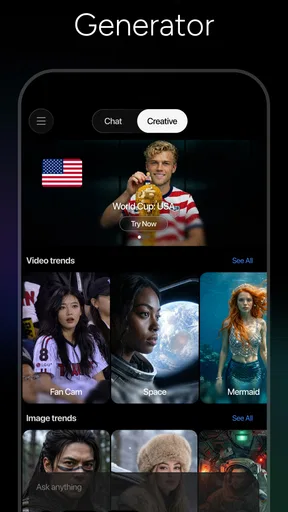
Image generation broadens the kinds of prompts the app can support, but it is worth treating that as a creative aid rather than a shortcut to exact visual instructions. When the image needs to match a brand, a real product, or a precise layout, I would expect to make choices and corrections elsewhere. The same principle applies to the text tools: they can help explore possibilities, while the user remains responsible for deciding what is accurate and fit for purpose.
What to expect from the app over time
Genie has an average rating of 4.5 from around 240,000 ratings, and it has passed 10 million installs. Those figures suggest that it has found a broad audience, but they do not tell me whether it matches my own habits. I would judge it by a more personal test: does it help me finish a recurring task with less friction, and do I trust myself to review what it produces? If not, a focused tool may be more useful.
The app was released on December 16, 2022, and its current version is 10.3.1. It requires Android 8.0 or later. For someone choosing between an AI assistant and a familiar productivity app, these details matter less than the workflow: Genie is strongest when I want a flexible exchange, while dedicated tools are stronger when consistency, organization, or dependable tracking is the priority.
My recommendation is to approach Genie as a capable drafting and brainstorming partner, not as an unattended personal assistant. Try it on low-stakes tasks first, give it specific context, and check the result before acting on it. If that way of working suits you, having several AI models and an image generator in the same app can be convenient. If you need rigid organization or verified answers without extra checking, I would choose a more specialized option instead.
Pros
- Intuitive user interface and easy navigation.
- Wide range of conversational abilities.
- Quick response time and minimal lag.
- Customizable settings for personalized use.
- Supports multiple languages seamlessly.
Cons
- Occasional misinterpretation of complex queries.
- Requires internet for full functionality.
- Limited offline capabilities.
- Some advanced features are paywalled.
- Frequent updates can consume data.
FAQs for Chatbot AI Assistant - Genie
What is Chatbot AI Assistant - Genie used for?
Chatbot AI Assistant - Genie is designed to streamline communication and enhance productivity through AI-driven interactions. It assists users in tasks such as scheduling, answering questions, and managing reminders. Additionally, it can provide real-time information and suggestions based on user queries, making it a versatile tool for personal and professional use.
Is Chatbot AI Assistant - Genie compatible with both Android and iOS devices?
Yes, Chatbot AI Assistant - Genie is available for both Android and iOS platforms. Users can download it from the Google Play Store or Apple App Store, ensuring accessibility across different devices. Its cross-platform compatibility provides a seamless experience for users who switch between operating systems.
Does Chatbot AI Assistant - Genie require an internet connection to function?
Yes, an active internet connection is necessary for Chatbot AI Assistant - Genie to operate effectively. The app relies on cloud-based AI technologies to process user queries and deliver accurate responses. Offline features are limited, so users should ensure connectivity for optimal performance.
How does Chatbot AI Assistant - Genie ensure user privacy and data security?
User privacy and data security are top priorities for Chatbot AI Assistant - Genie. The app implements robust encryption protocols to protect user data. Moreover, it adheres to strict privacy policies and regulations, ensuring that personal information is not shared with third parties without consent.
Are there any subscription fees or in-app purchases in Chatbot AI Assistant - Genie?
Chatbot AI Assistant - Genie offers a range of features for free, but there may be additional premium features accessible through subscription plans or in-app purchases. These may include advanced functionalities or ad-free experiences. Users can choose based on their needs and preferences.


